← All tests
Product category picker — native source (prod)
Karou (2026-06-21): on the product edit page the Category dropdown showed a
different set of categories than Configurations → Categories — it listed
legacy Odoo labels (“Coffee”, “Tea”) and was missing real categories
(COFFEE, COFFEE SERIES, COLD FOOD…). Verified on get-coffee (Pro).
Gate 2 7/7 passed + 51/51 regression. nix-cafe 01a7820, no migration.
Root cause: the product edit dropdown and the products-list category rail read the legacy
Odoo-mirror category list (odoo_pos_categ_id IS NOT NULL — only 6 stale
rows) on Pro tenants, while everything else (the Categories settings page, the POS pill strip + filter)
reads the native cafe.product_categories the user actually manages. Both
product pages now read native categories on all tiers — with
bypass_odoo_pos universal, the editable catalog categories are native everywhere.
Data remap. 18 product templates were linked to mirror category rows (13 → “Coffee”,
4 → “HOT MILK TEA”, 1 → “Tea”). Each mirror category had exactly one
same-name native twin, so those templates were remapped to the native category — otherwise the fix
would have made them display as “Uncategorized”. After the remap 0 templates
reference a mirror category. (Flagged for a later cleanup: a few duplicate native rows exist —
JUICE SMOOTHIE ×3, MANGO CREAM SERIES ×2 — dedupe on the
Categories page; and the 6 now-empty mirror rows can be deleted.)
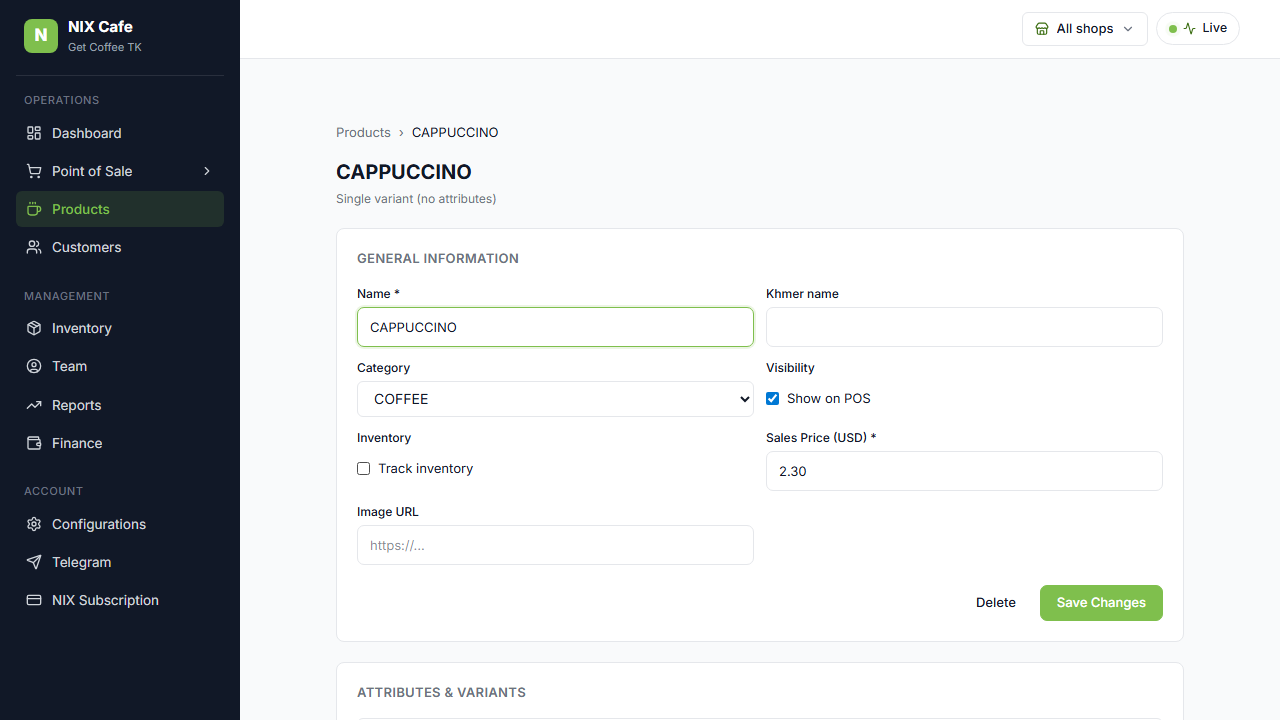
1 — CAPPUCCINO edit page. The Category dropdown now lists the native categories (COFFEE, COFFEE SERIES, COLD FOOD, MATCHA SERIES, TEA…) — the legacy “Coffee”/“Tea” Odoo labels are gone, and CAPPUCCINO (formerly mirror “Coffee”) now resolves to native COFFEE. Click to zoom.
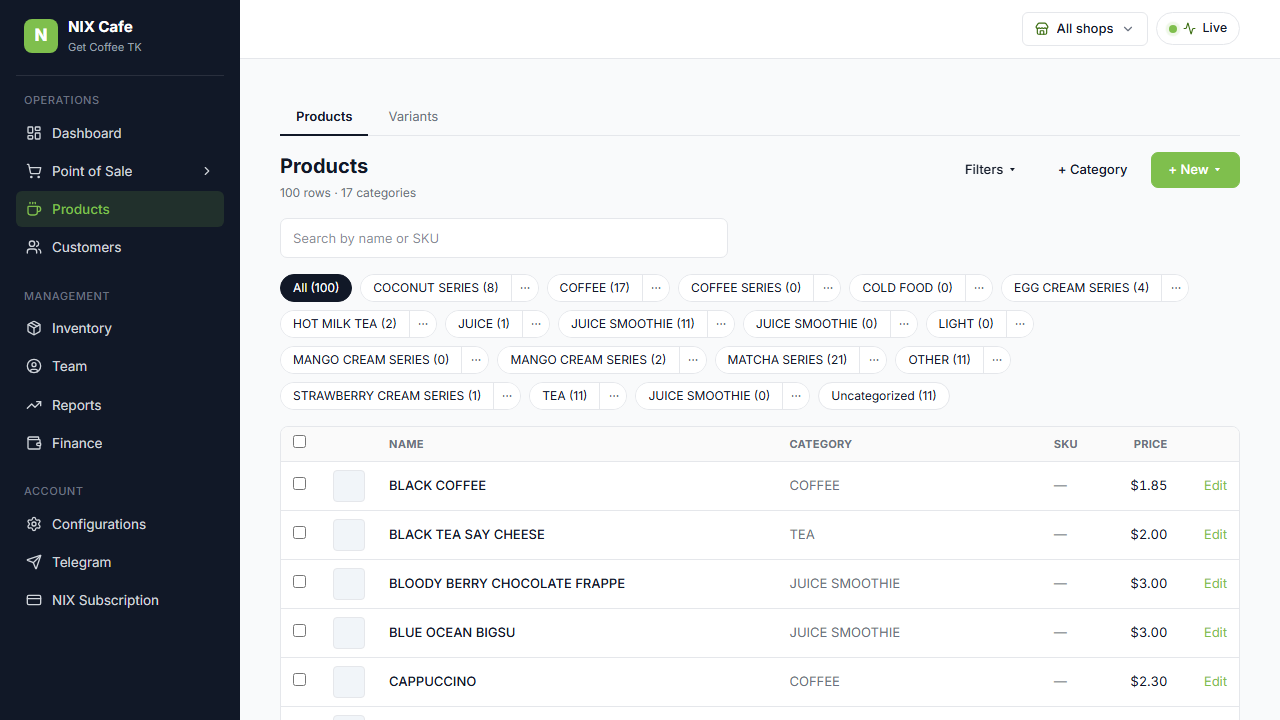
2 — Products list. The category filter rail draws from the same native source, so it matches the Categories settings page exactly — no more legacy mirror labels.