Category thumbnails on the POS pills (prod)
4a3b9fd+eec47c1 · backend migration · Gate 2 6/6 · regression 51/51
#24a follow-up (Narong): give the category pills a recognizable photo like his mockup.
Each category gets a curated image, uploaded on the Categories settings page and shown on
the POS pill — independent of product photos (most catalogs have few). New additive column
cafe.product_categories.image_url; the upload reuses the existing R2 pipeline (new
category-image kind, settings-gated). Categories with no image keep the
letter-circle fallback. Works on both Starter & Pro via the shared POS shell.
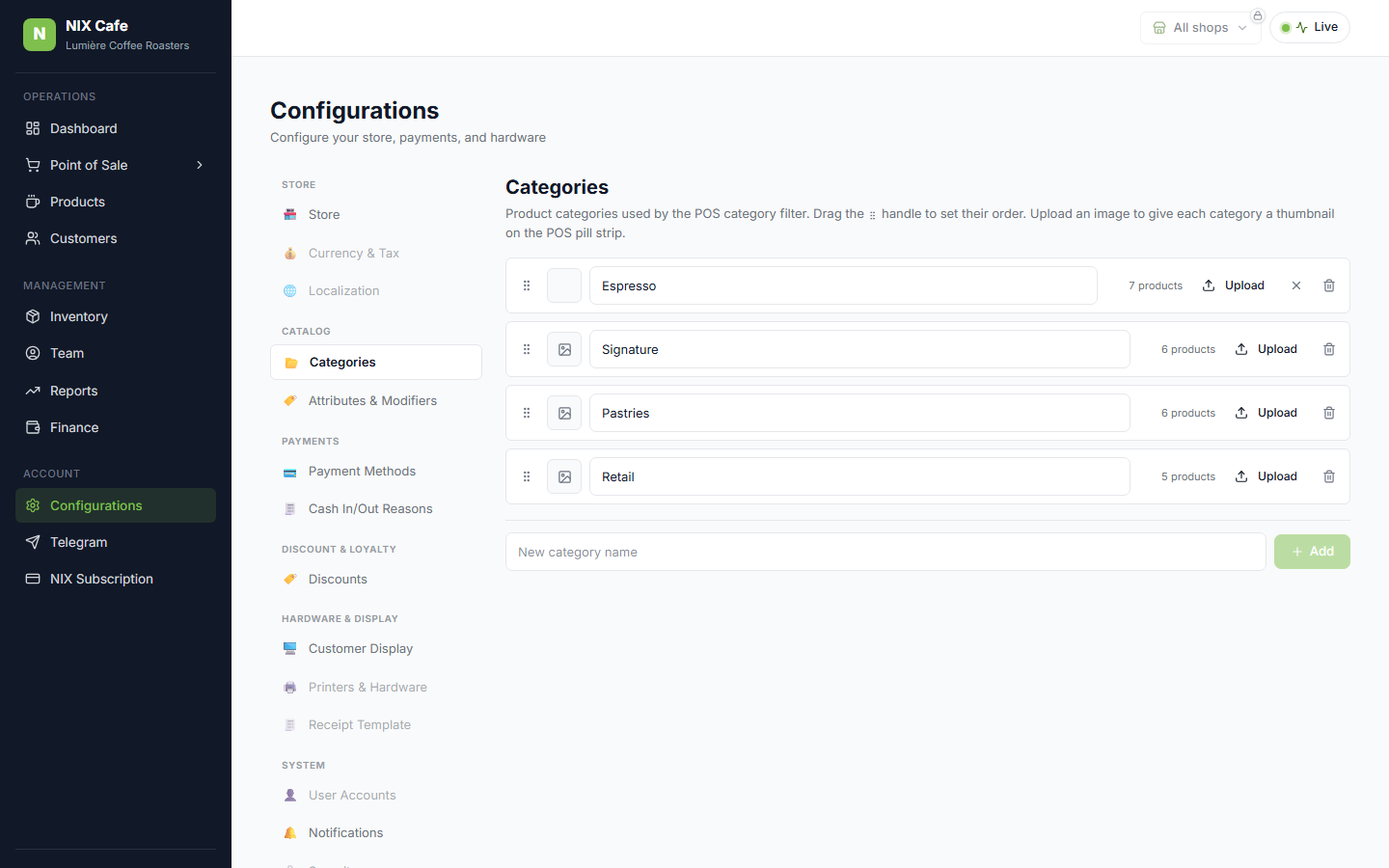
1 — Upload on the Categories page
Each row gains a thumbnail + Upload + remove (✕). Uploading sets the image (DB-verified) and shows it on the row; the ✕ clears it back to the placeholder. The settings read is tx-wrapped so a reload after saving shows the change immediately (no Hyperdrive stale-read flicker).
2 — The pill shows the curated image
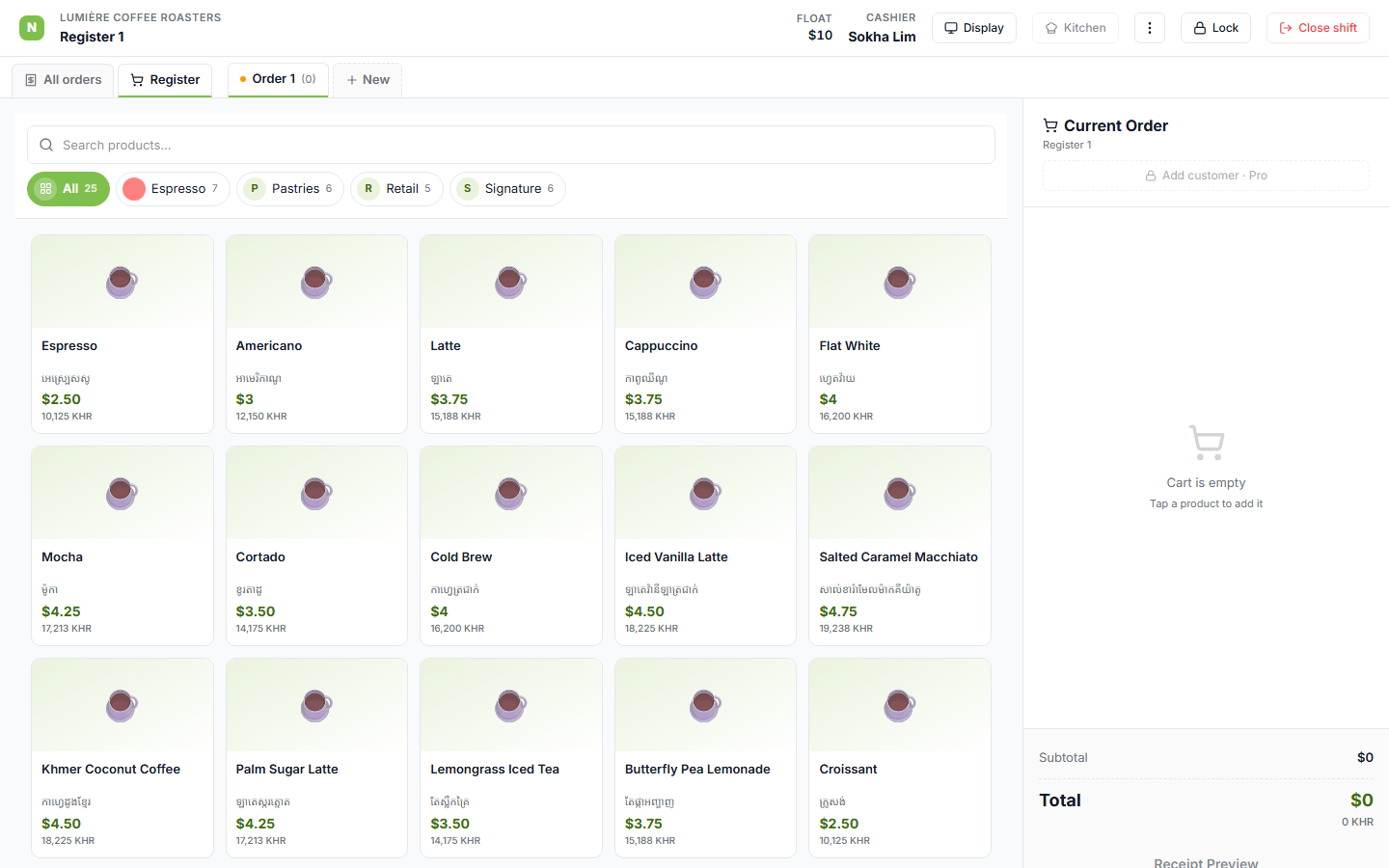
On the POS register, Espresso’s pill renders the uploaded image; a category without one (Pastries)
keeps its letter circle. Gate 2 asserts the Espresso pill thumb is an <img> that
actually loaded (naturalWidth > 0) while Pastries stays a <span> fallback.
Note on the demo image
The test uploads a 1×1 pixel as a throwaway fixture, so the pill thumbnail here is a tiny solid swatch — the mechanism (upload → persist → render on the pill) is what’s proven. A real category photo fills the 24px circle like the mockup.