Whole-Order Discounts as Rows & Refunds Rebuild STAGING
"Can we do as rows? If an order of 2 items is discounted 100% (Special Gift), show 2 rows using the same discount. It's very rare whole order discount is used." · "Yes, rebuild it please. Just know that there's no approval." · "Removing 'Voided' is okay with me. Applied By uses whichever Cashier is logged in the POS."
Three follow-ups to the Discount Transactions ledger. Whole-order discounts are now spread across the order's items as real rows, the unreachable "Voided" filter is gone, and the Refunds page has been rebuilt to the fuller design. No database migration — all three are read-side.
1. A whole-order discount is now one row per item
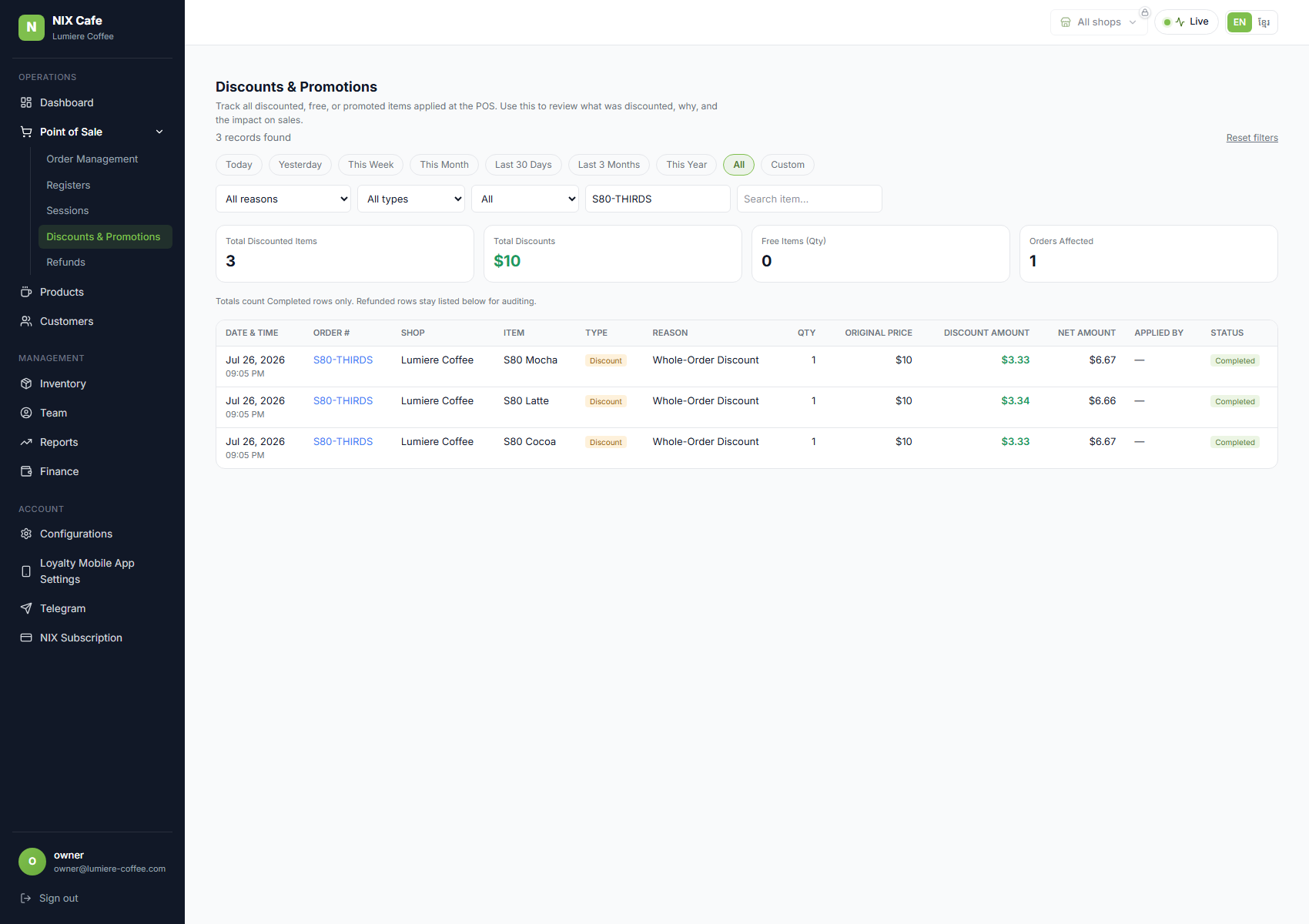
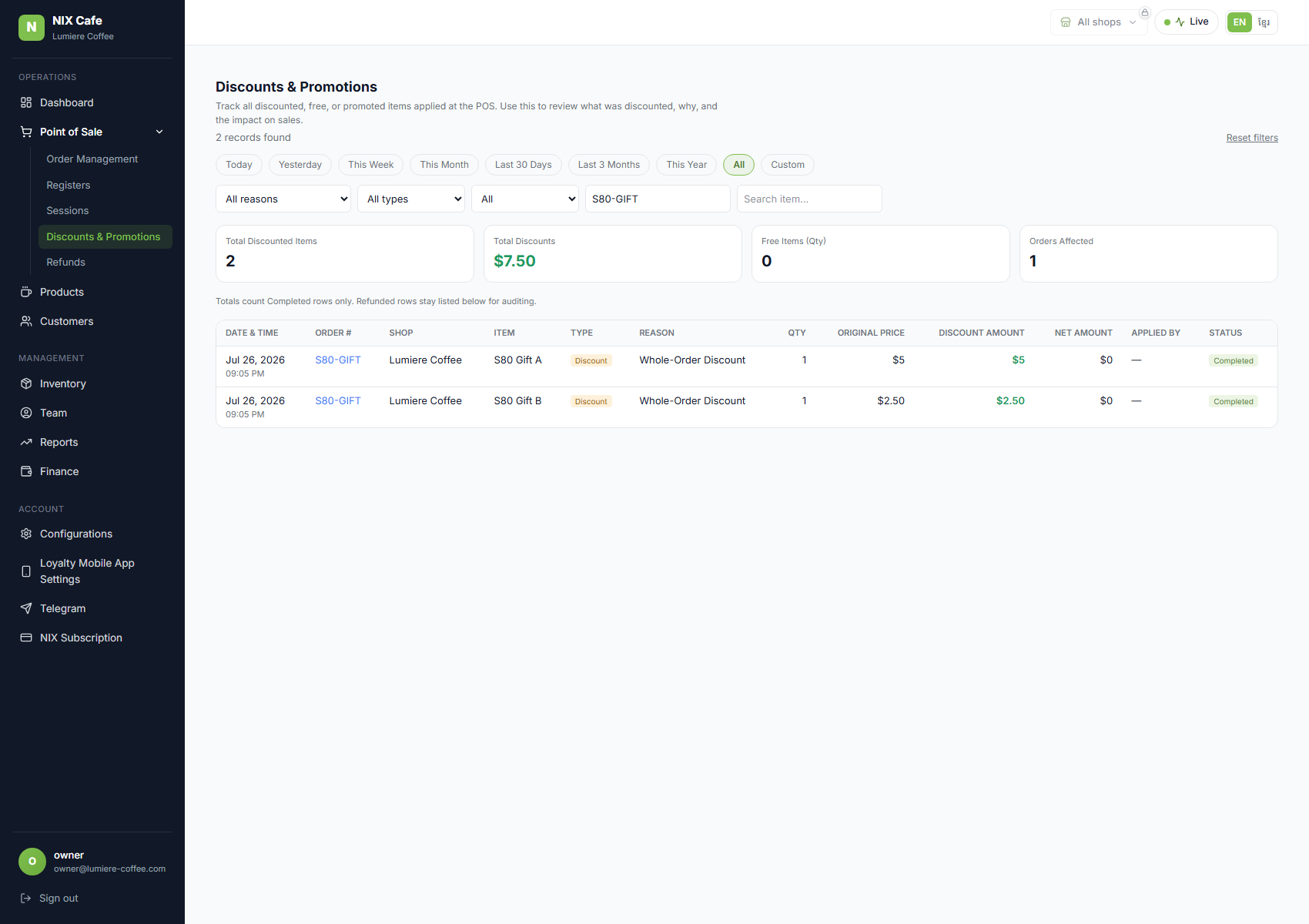
A discount typed at the pay screen belongs to the order, not to any one item, so the first version of the ledger left it out of the table and mentioned the total in a footnote underneath. That under-reported what the table is for. It is now divided across the order's items in proportion to what each one actually cost, so the rows and the totals finally describe the same money.
The division is exact. Splitting $10.00 across three $10 items is $3.33 each, which only adds up to $9.99 — a penny short. The ledger allocates so that the shares always sum to the original amount to the cent, no matter how the numbers divide. Where a discount takes 100% off, every item on the order lands at zero, exactly as described.
2. “Voided” removed from the status filter
There is no way to void an order in the product today, so the Voided option could only ever return an empty table. It has been removed from the filter. The status itself is still understood by the ledger, so the day a void flow exists those rows will classify correctly rather than quietly counting as completed sales.
3. The Refunds page, rebuilt
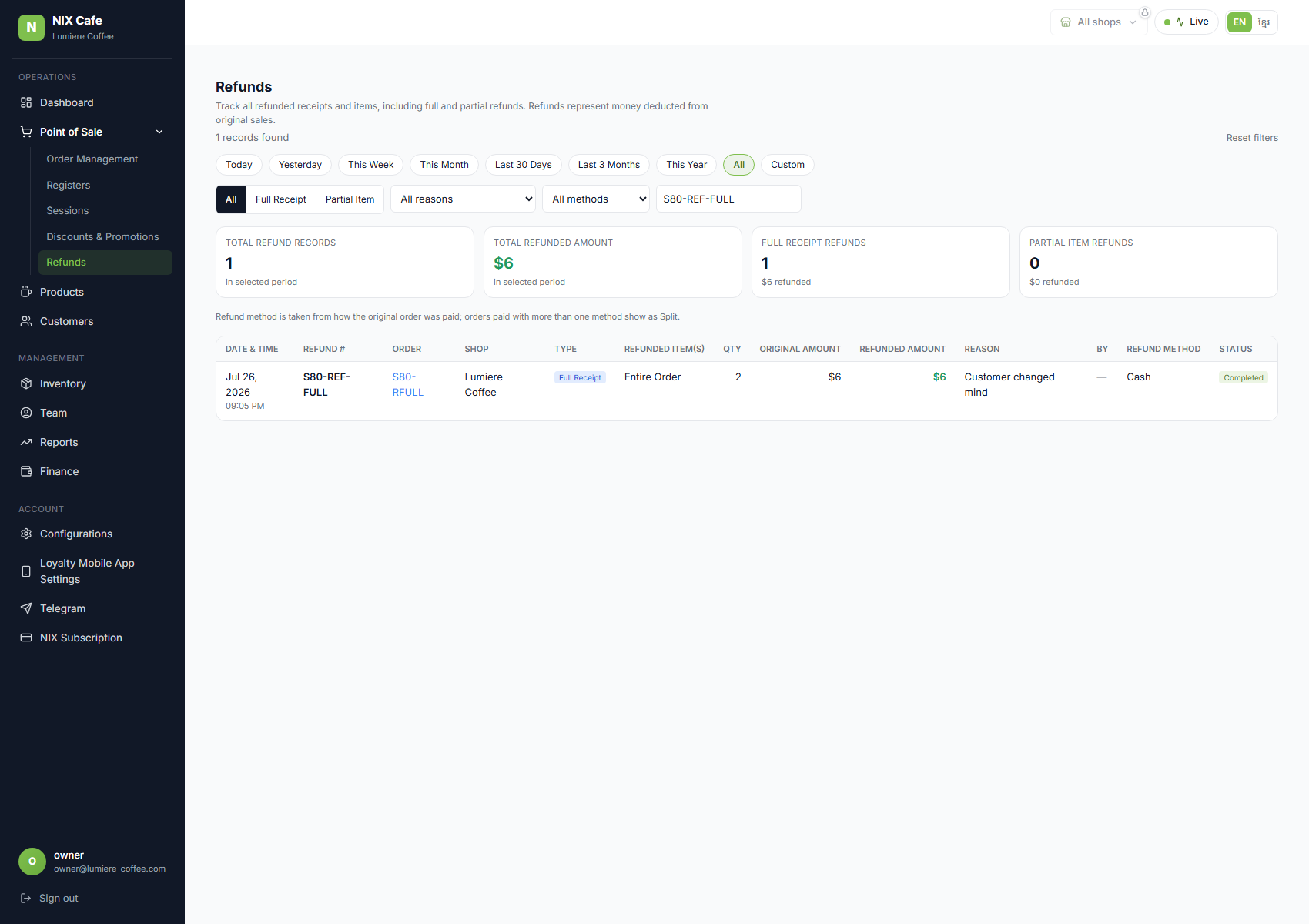
The Refunds screen now follows the fuller design: four summary tiles, the refunded items and quantities, the original amount alongside what was actually returned, and filters for refund type, reason, cashier and method. The search box matches either a receipt number or the original order number. Following “there's no approval”, the Pending Approval state is not built.
A real bug fixed along the way. Whether a refund showed as “Full Receipt” or “Partial” was being read from the order's final state instead of the individual refund. So if a cashier refunded one item and later refunded the rest, both refunds displayed as full receipts. Each refund is now judged on what it actually returned. The test below covers exactly this case.
Two things worth a look, Narong
- Refund method is worked out from the sale, not recorded on the refund. Nothing captures how the money physically went back, so the page shows how the original order was paid — and “Split” when the order used more than one method, since we can't know which one was refunded. If you want this to be exact, the refund needs to record its own method at the till.
- A 100%-off item is counted as a discount, not a free item. The “Free Items” tile counts units given away by a promotion. Your example calls it a Special Gift, so tell us if you'd rather those count as free.
- Not built: Export, the Columns picker, and the row checkboxes — the last two have no action behind them yet.
Checks
| Suite | Result |
|---|---|
| Local (15 checks, incl. a deliberate-break control) | 15/15 |
| Staging, against the deployed site (8 checks) | 8/8 |
| Staging smoke regression | 5/5 |
The rounding rule was verified by deliberately breaking it: with a naive split, two independent checks caught the missing penny ($9.99 instead of $10.00, and a summary tile off by one cent) before the correct rule was restored.
Captured on Lumière Coffee (staging). Test data was created for these screenshots and removed afterwards.