Loyalty Mobile App Settings — Figma layout rework STAGING
Narong (via Karou): “I want the layout of the settings to be exactly the same as the Figma mockup —
right now the functions are there, but the layout is confusing to navigate.” This reworks the admin from a
flat horizontal tab row into the Figma’s left icon sub-nav + titled subpages
(untie-syrup-68317957.figma.site), and folds in the two requested bug fixes. Board item f5.
Gate 2 (staging) 16/16 — real SSO login on
get-coffee.staging.nixtech.app
(Pro, spin-enabled), against the staging loyalty backend. Left icon sub-nav renders all 8 sections; each opens a
titled subpage; Popular Menu = 4 dropdown slots; Reward Settings + Orders & Spins sub-tabs verified;
no 5xx. Companion suites: p4-shop 10/10, delivery-settings 11/11, staging smoke 5/5.
What changed
- Flat tab row → left icon sub-nav (Figma order, labels, lucide icons, titled subpage on the right).
- Popular Menu rebuilt to the Figma’s 4 numbered dropdown slots with a per-slot preview (photo · category · price) and cross-slot dedup — this is the f4 “can’t add to Popular” fix.
- Promotions / Seasonal: upload + 2/3/4/5s slide-timer pills (replaces the free number input that could be blanked) · Active Banners on the right.
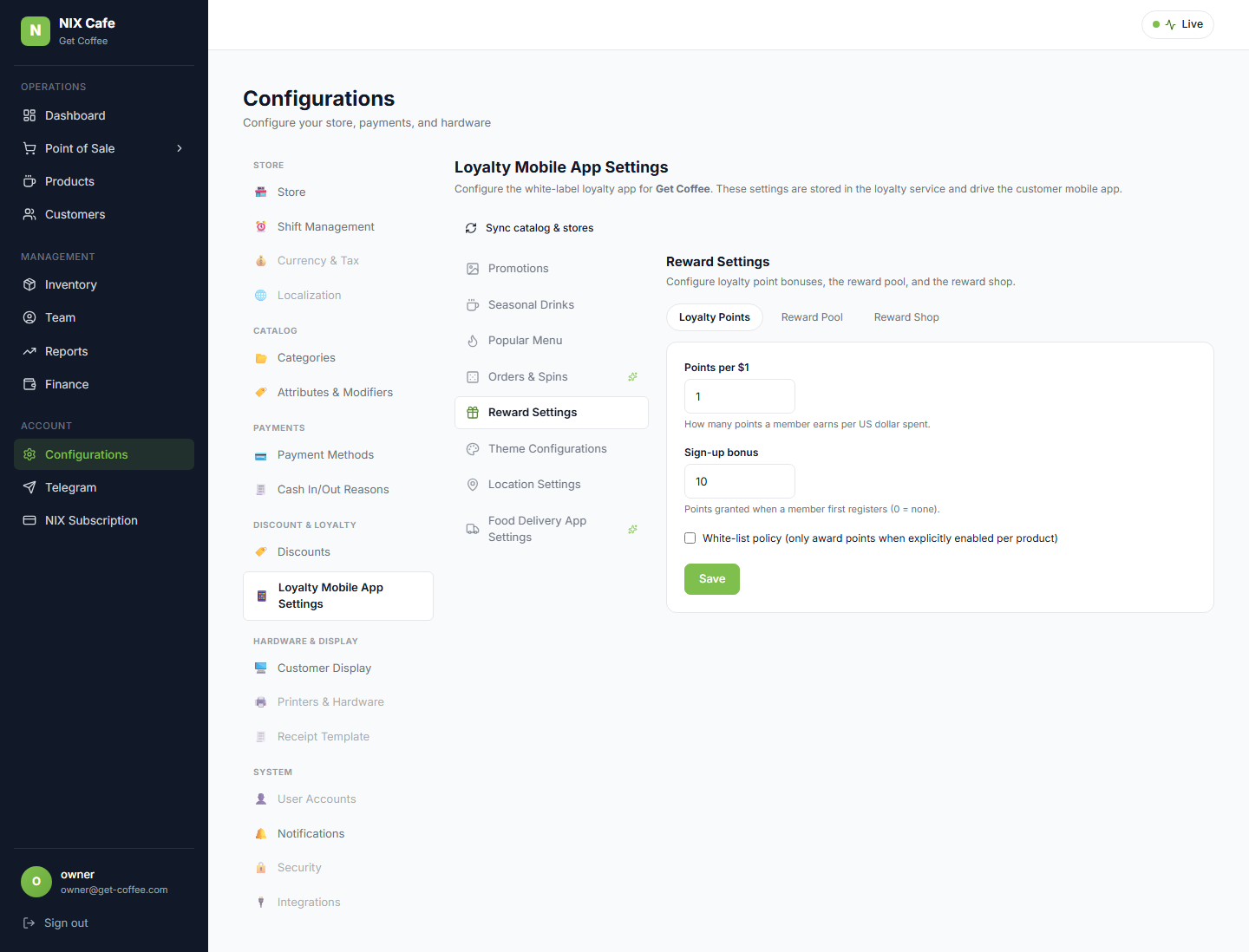
- Reward Settings: Loyalty Points / Reward Pool / Reward Shop sub-tabs — the old standalone Points section folds into “Loyalty Points”.
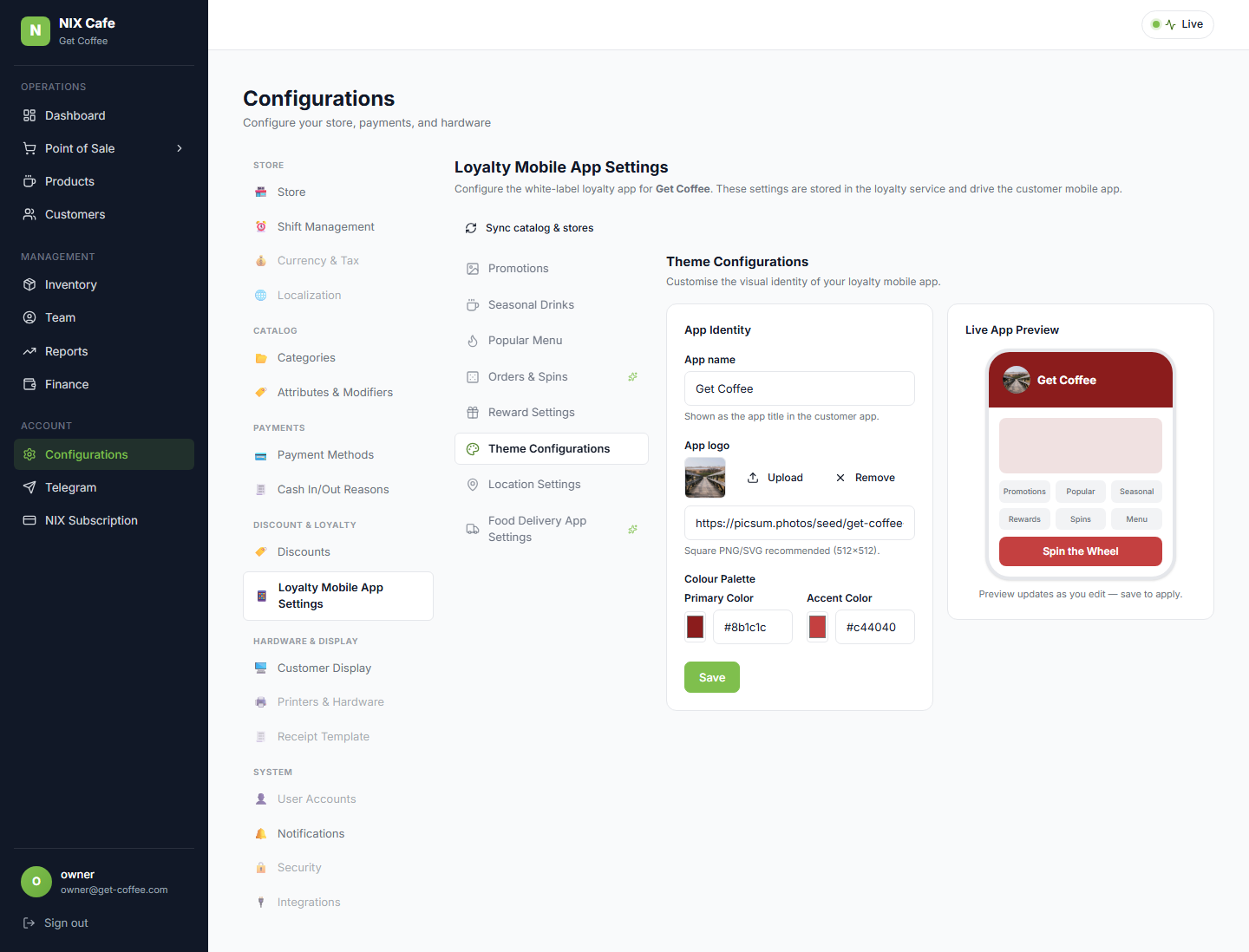
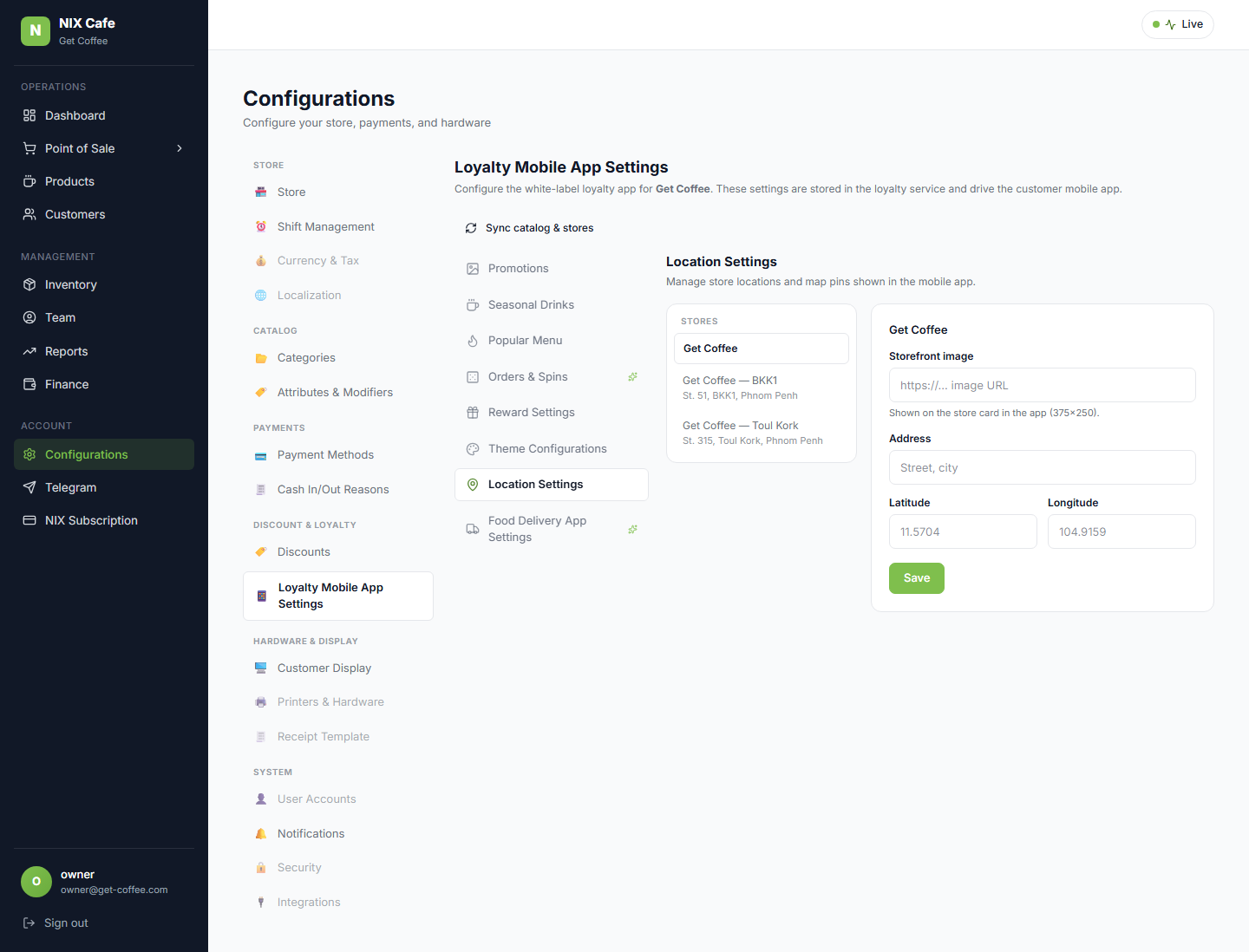
- Orders & Spins: Spin Settings / All Spin Chances sub-tabs. Theme: App Identity + Live App Preview. Locations: store-list / detail master-detail + Open Map.
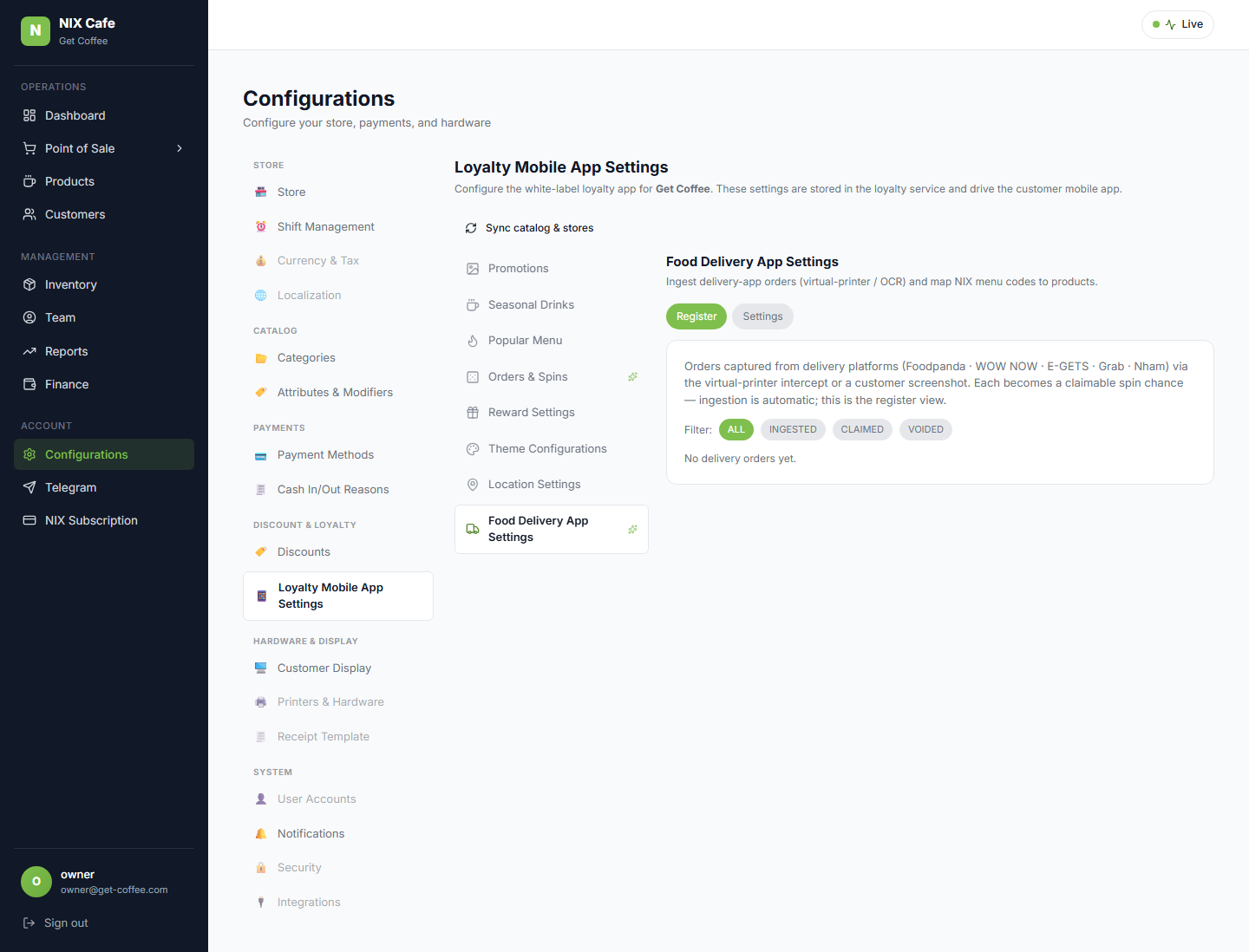
- Held to v1.1 functionality (not the Figma): Reward Pool stays %-weighted (not the 1–100 RNG map); Food Delivery stays virtual-printer / OCR + NIX menu-code map (not API-Key/Webhook).
Every section, on staging (real data)
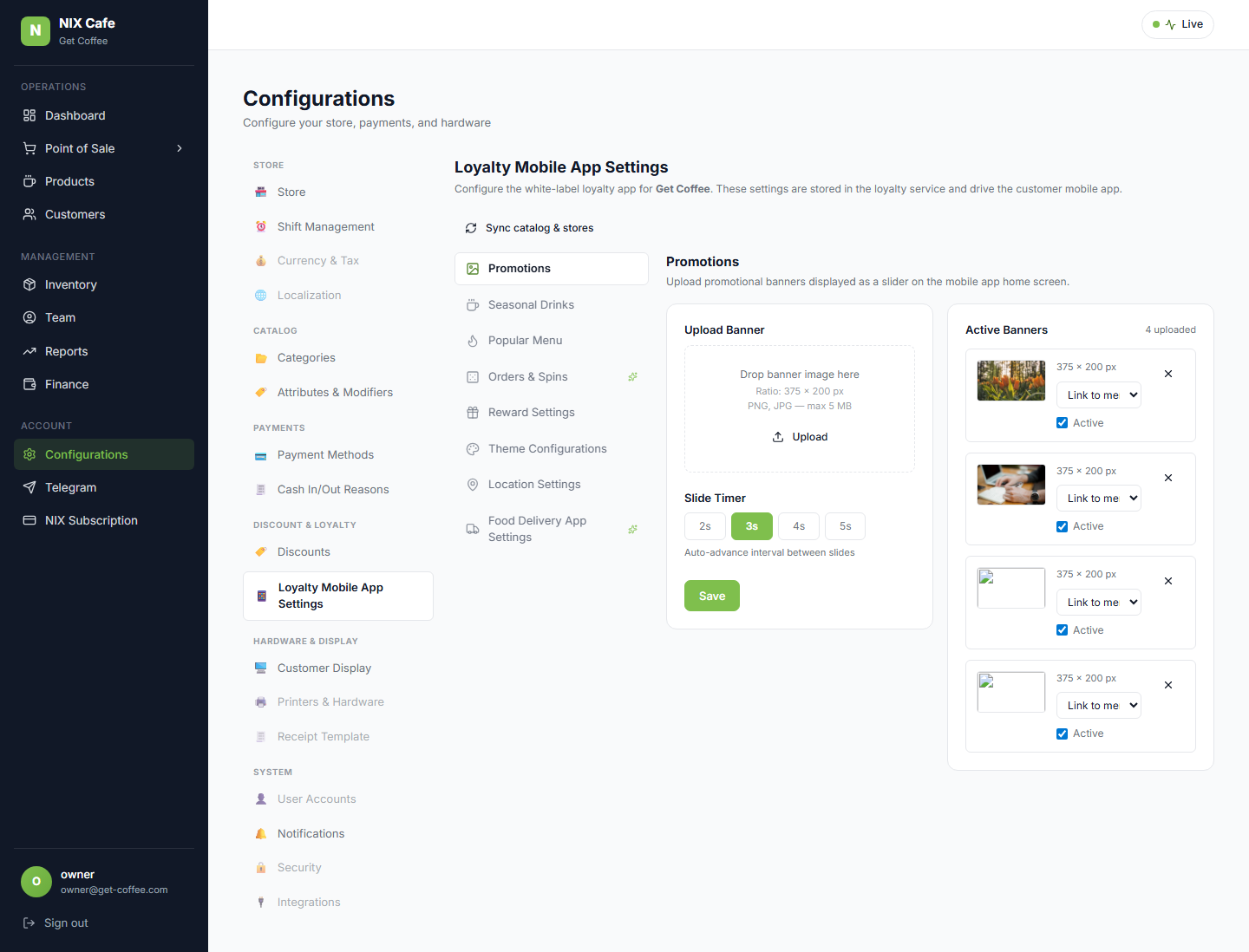
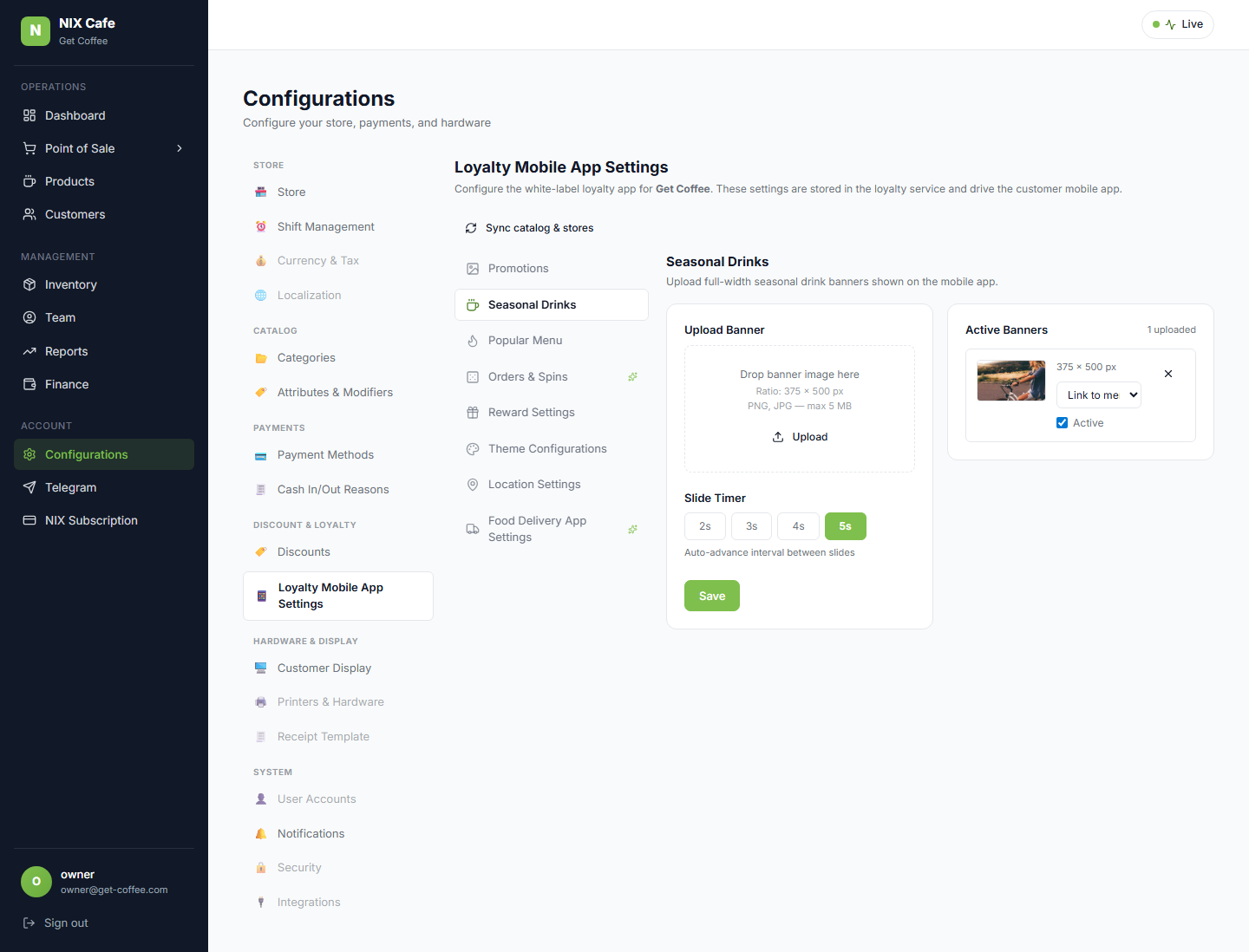
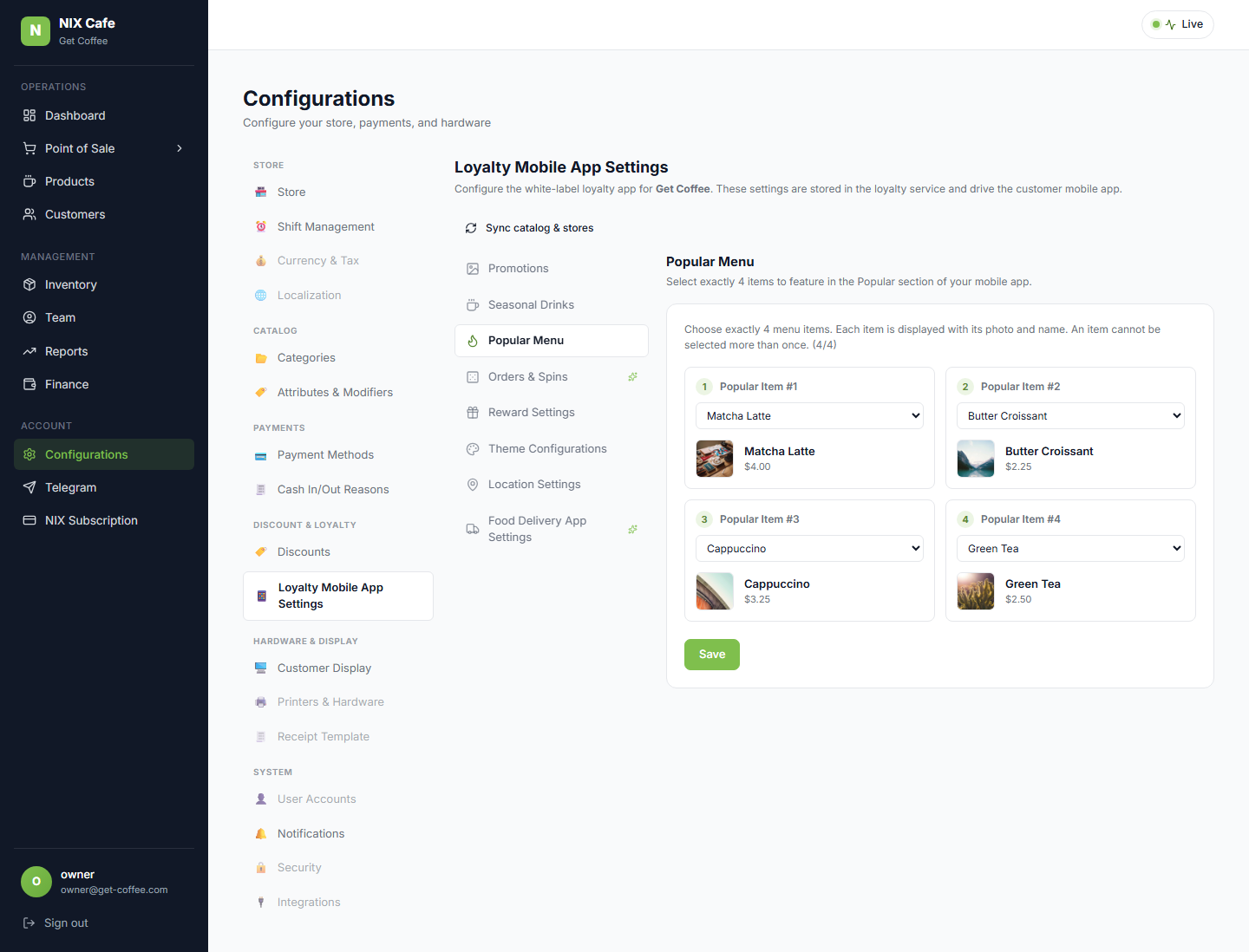
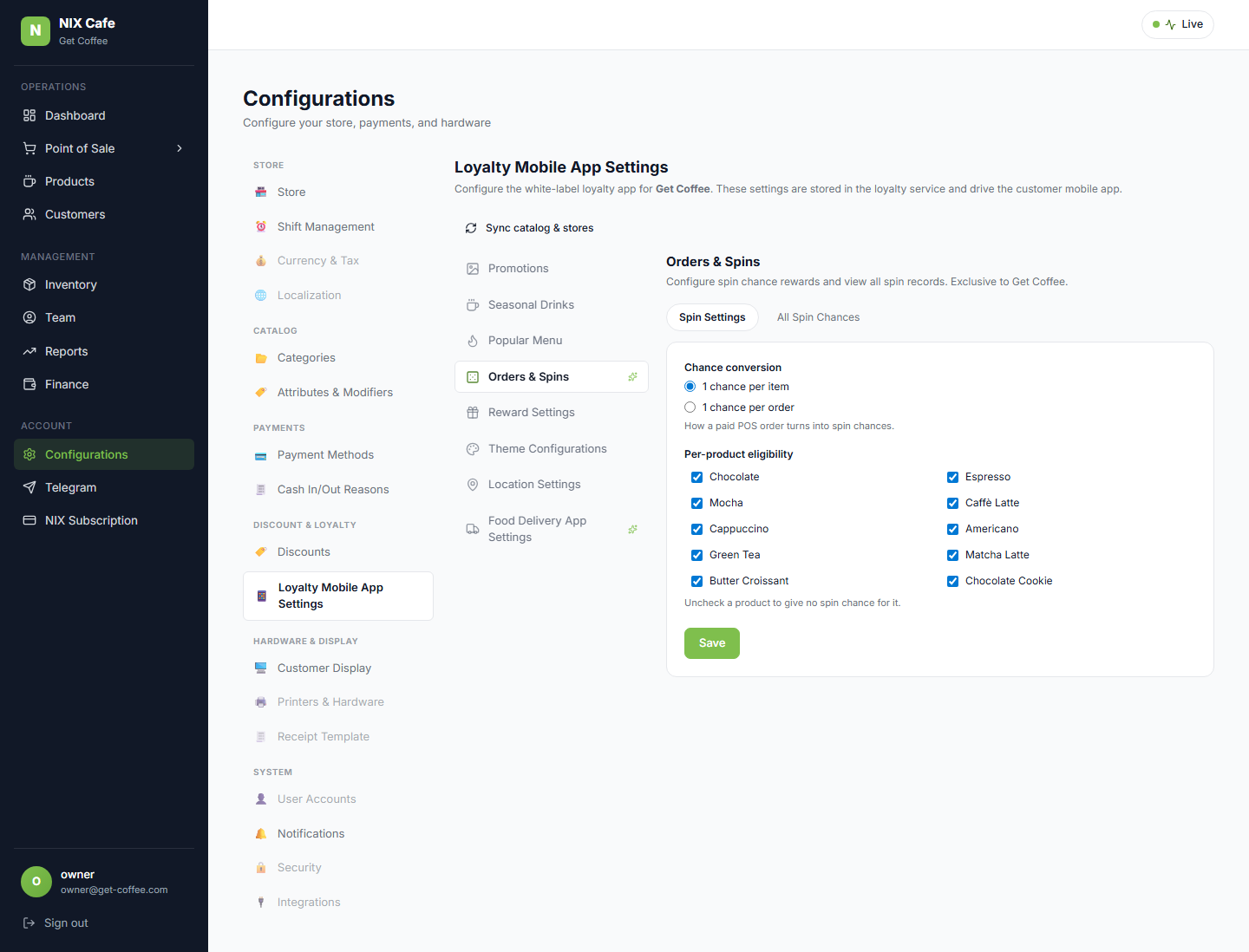
Test evidence
PASS SSO login get-coffee.staging
PASS left icon sub-nav renders all 8 sections
PASS each section renders its titled subpage (8/8)
PASS Popular Menu = 4 numbered dropdown slots (f4 fix)
PASS Reward Settings sub-tabs (Loyalty Points / Reward Pool / Reward Shop) work
PASS Orders & Spins sub-tabs (Spin Settings / All Spin Chances) present
PASS no 5xx during walk — 16/16
PASS left icon sub-nav renders all 8 sections
PASS each section renders its titled subpage (8/8)
PASS Popular Menu = 4 numbered dropdown slots (f4 fix)
PASS Reward Settings sub-tabs (Loyalty Points / Reward Pool / Reward Shop) work
PASS Orders & Spins sub-tabs (Spin Settings / All Spin Chances) present
PASS no 5xx during walk — 16/16