Needs Attention preset filter STAGING
Narong Next-Phase #5 (the "Setup issues" ask). nix-cafe staging 0005eac — no migration, no backend.
Verified locally on lumiere 5/5 + on get-coffee.staging + staging smoke 5/5.
How it works
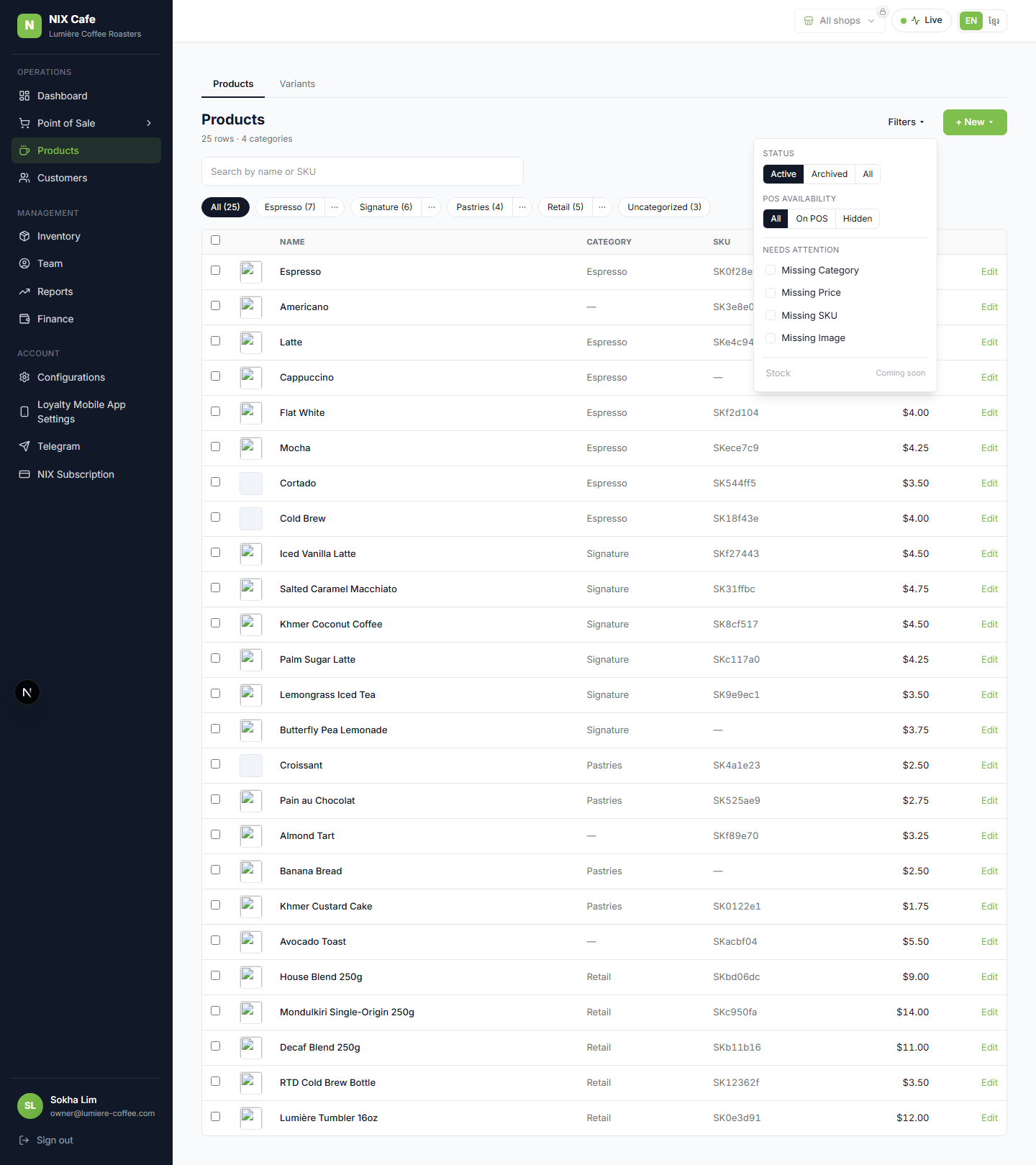
The filter panel's old "Setup issues — Coming soon" stub becomes a real Needs Attention group with 4
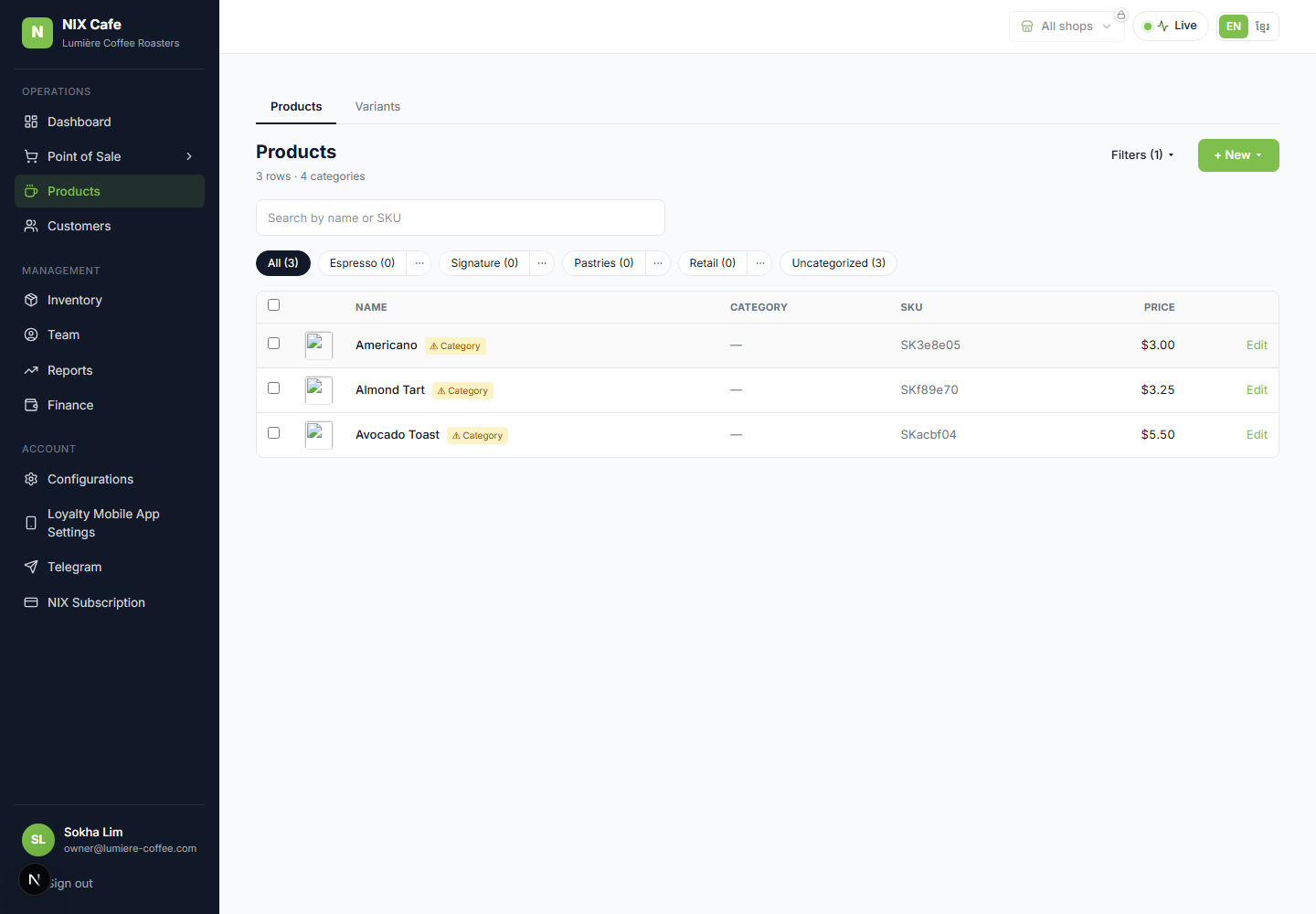
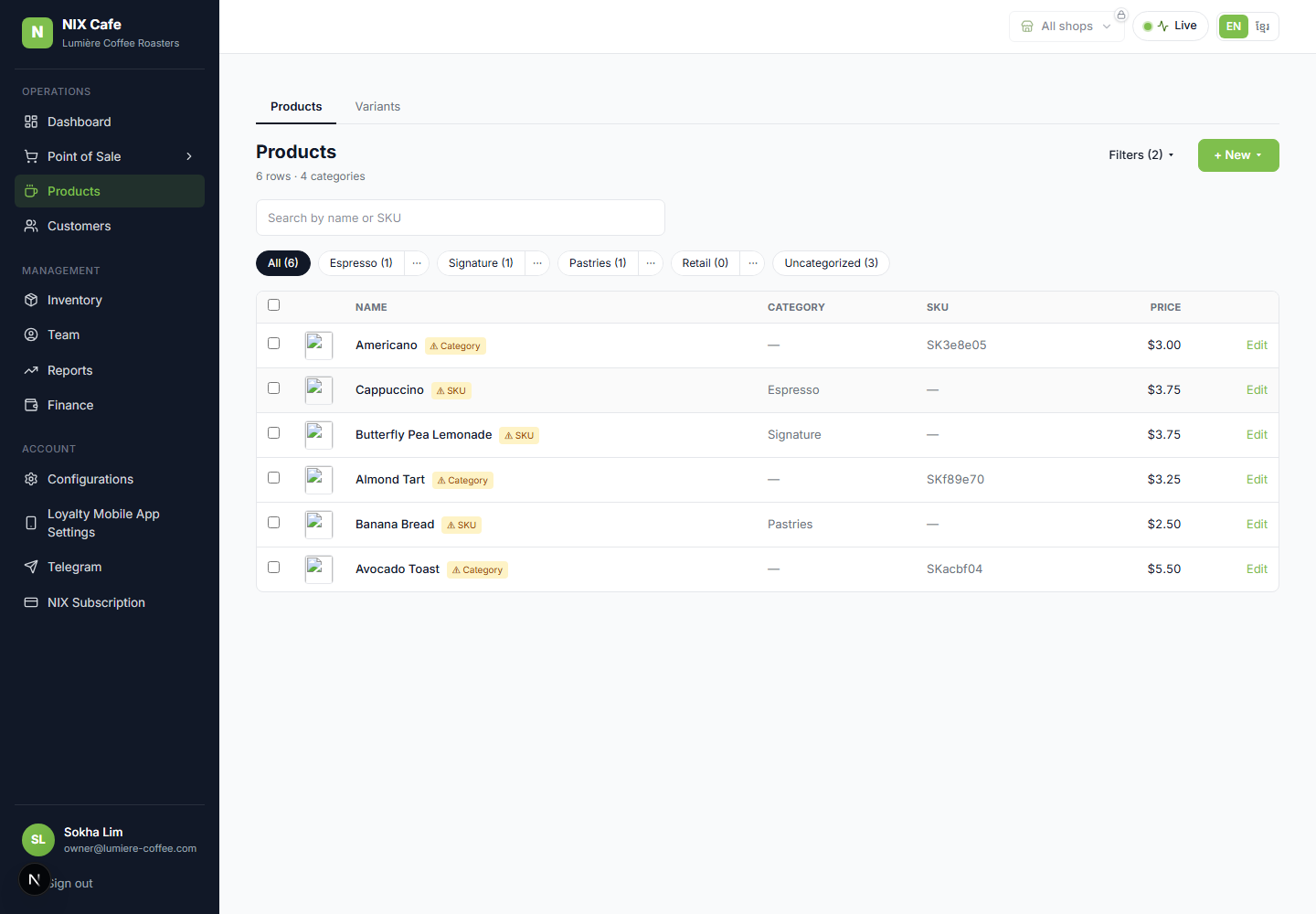
checkboxes. Ticking any narrows the list to products with any of the ticked issues (OR). A
⚠ amber badge on each flagged row spells out exactly what's missing — so the
user sees what to fix. All derived from data we already fetch (category_id, min variant price,
variant SKUs, variant images) — no schema change. Stock stays "Coming soon" pending its data-source dig.
1 · The panel + filtering (lumiere)
2 · On staging (get-coffee.staging — real data)
Verified on the deployed staging Worker via a real SSO login. Of 12 products, "Missing Image" narrows to the 4 that lack an image — each ⚠-badged.
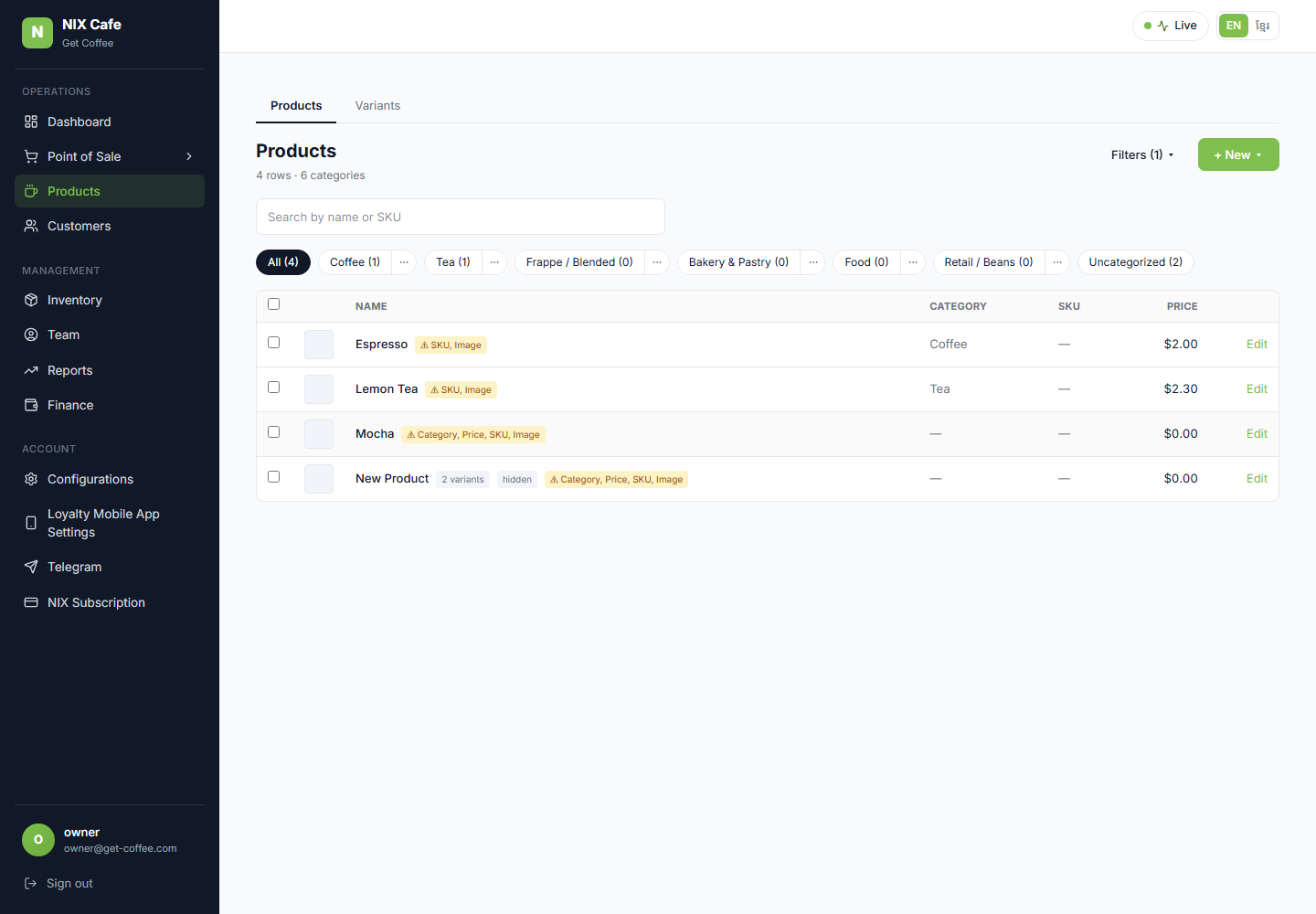
get-coffee.staging → 4 of 12 products flagged.Checks
| Panel shows Needs Attention with 4 checkboxes | pass |
| Missing Category → 3 rows, all ⚠-badged | pass |
| Missing Category + SKU → 6 rows (OR union) | pass |
| Row badge lists the missing fields | pass |
| tsc --noEmit | clean |
| Staging smoke | 5/5 |
No schema change. Local screenshots use a temp-seeded lumiere (3 category / 3 SKU / 3 image missing), reverted after capture. Parked on staging for the scheduled prod promote.