Gate 2 11/11 passed · 51/51 regression.
Two open sub-tasks from the Open Orders board shipped this slice (the rest were already done).
(1) Navigating an ongoing order now loads its detail just like a paid
one, with a prominent green “Load Order” button
— instead of resuming instantly on row click. The button is what resumes it into the register.
(2) Refunding more than was ordered now shows a visible
amber warning (“Max refundable for X is N units”)
and clamps the quantity, instead of silently capping it. nix-cafe 4db755c, 1 file, no migration.
1 — Ongoing order detail with “Load Order” button
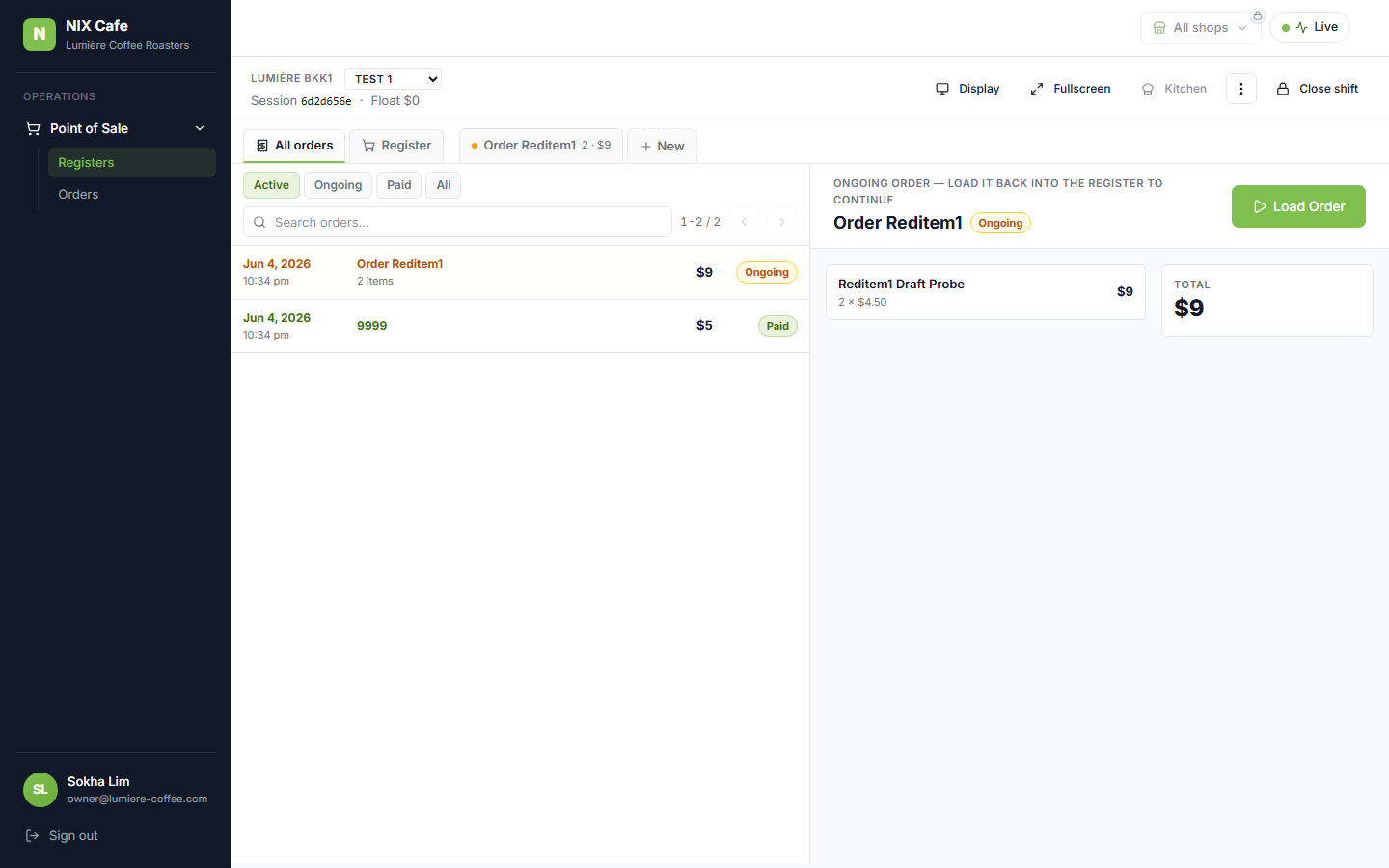
Clicking an ongoing row loads its lines + total in the right pane; the green Load Order button resumes it. Click to zoom.
2 — Over-refund warning
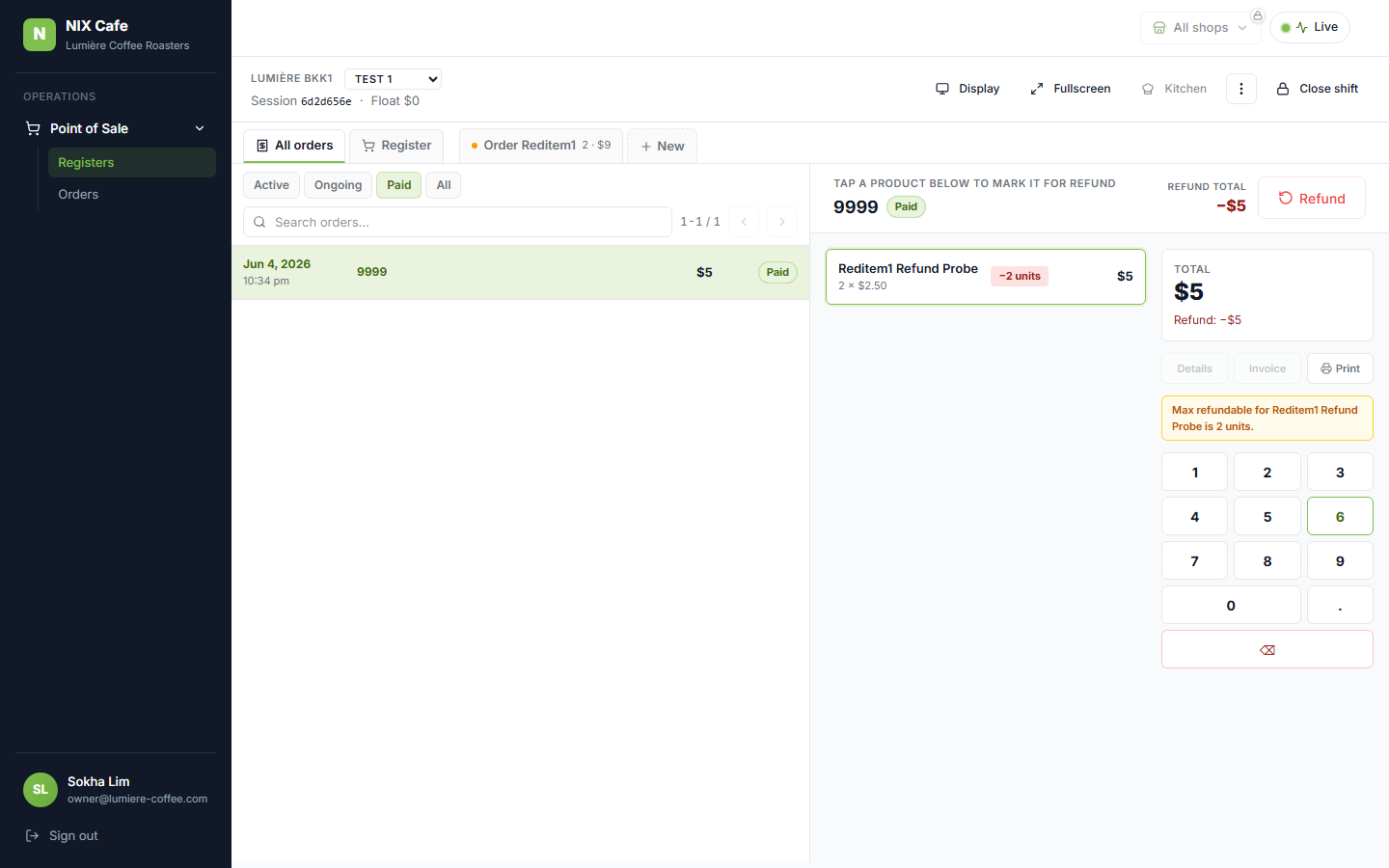
Entering a refund qty above the ordered qty surfaces the amber warning and clamps the value. Click to zoom.