#29 — Showing Modifiers on POS (prod)
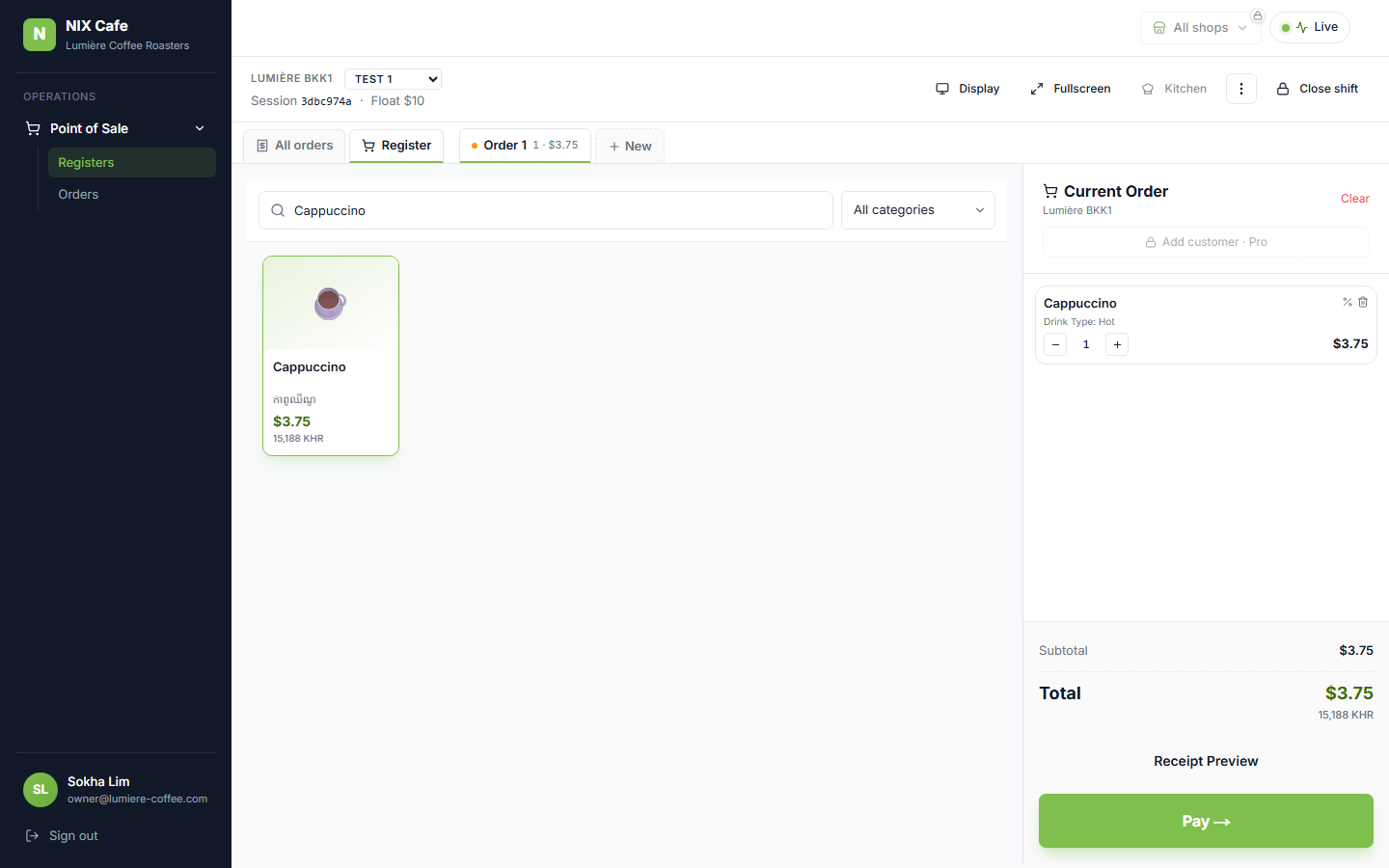
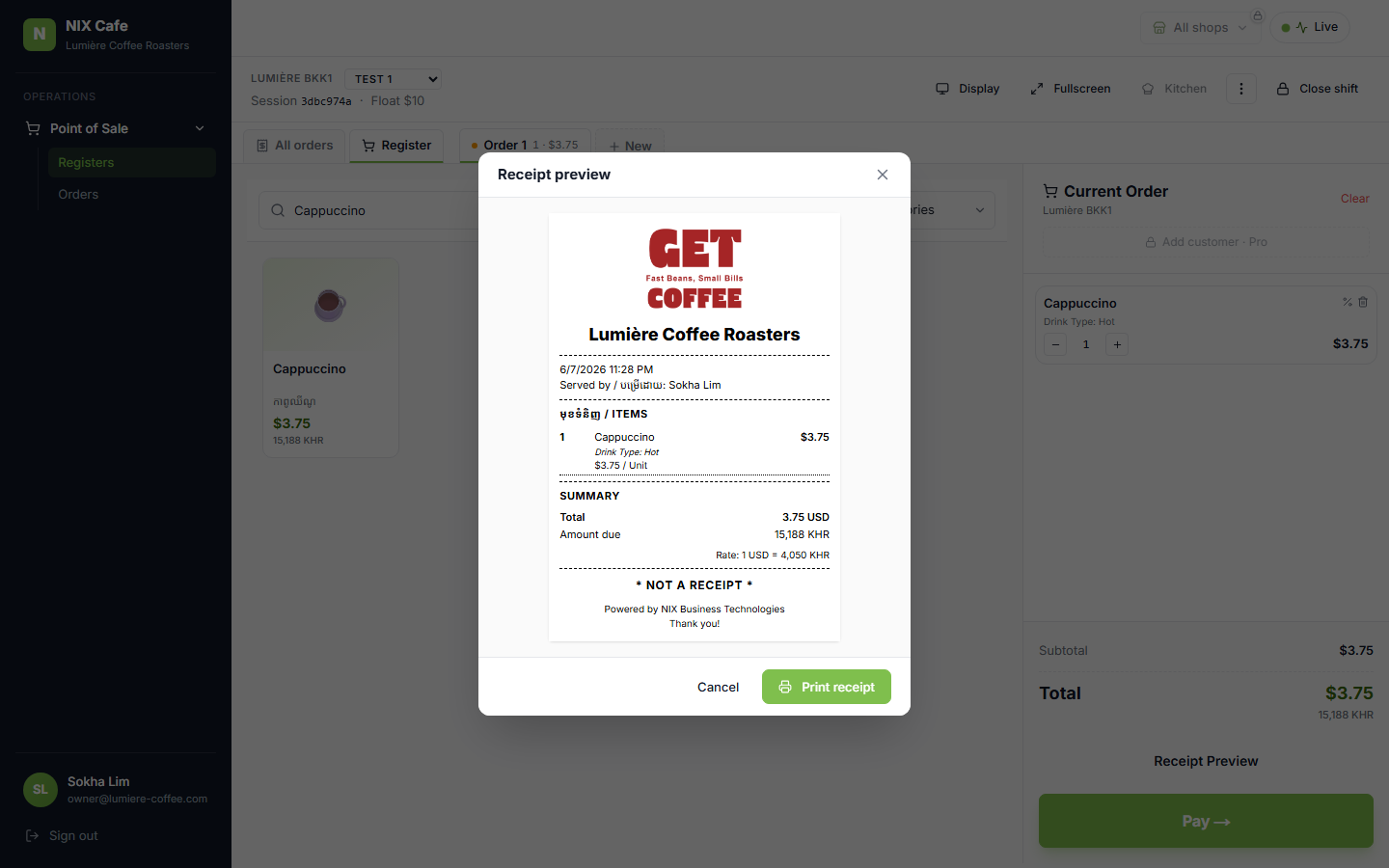
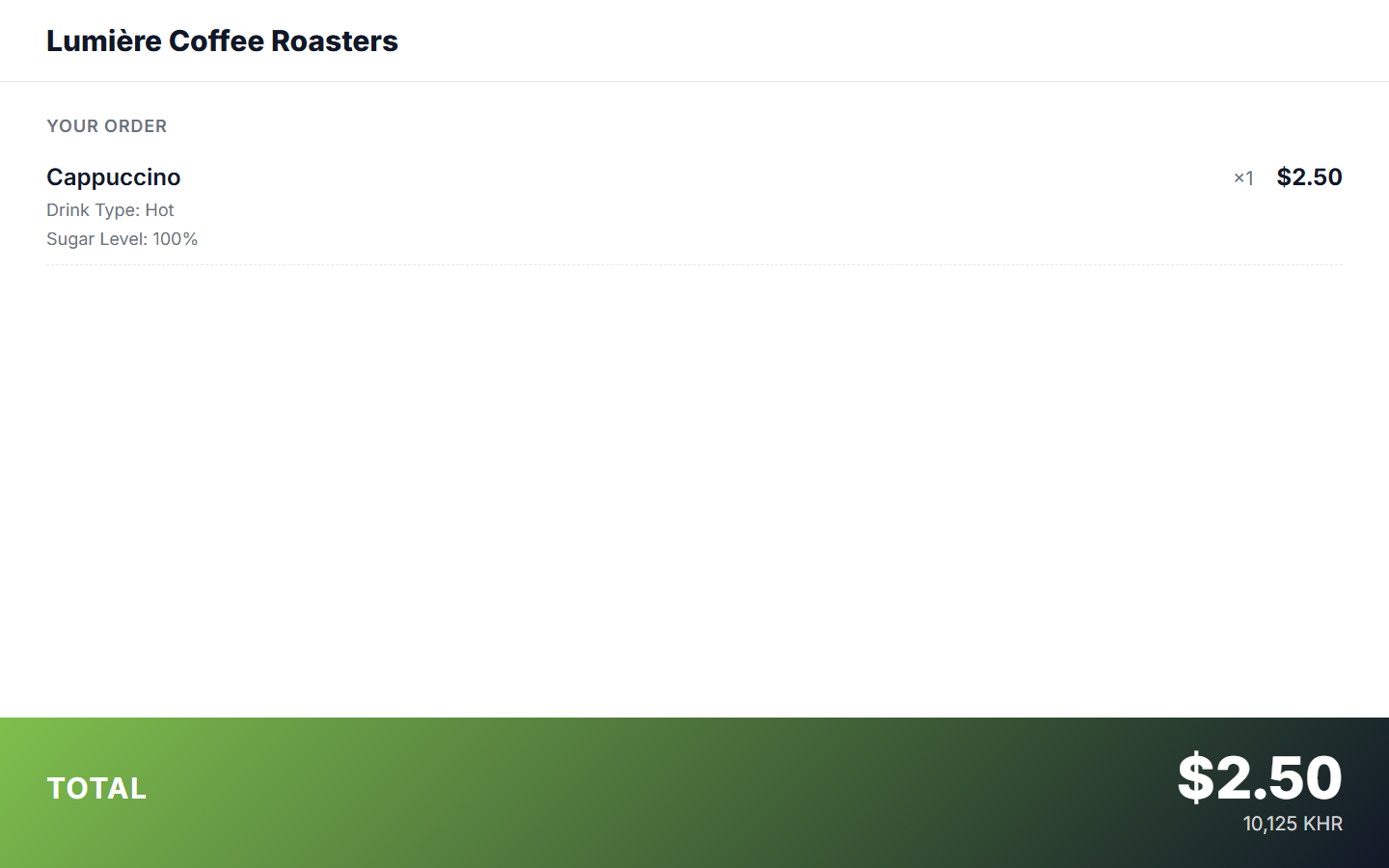
f9ceacc · Gate 2 6/6 · regression 51/51 · no migrationNotion test-run #29. Each line item now shows its chosen modifiers as “Attribute: Value” (e.g. “Drink Type: Hot”, “Sugar Level: 100%”) under the product name, one per line. Four of the five surfaces already carried the modifier data but printed only the value (e.g. “Hot”); they now show the full label. The Customer Display previously dropped modifiers from its broadcast payload entirely — now threaded through. Verified on lumiere-coffee using a real product (Cappuccino · Drink Type: Hot).
The five surfaces
1. Ordering cart + 3. Receipt Preview + 2. Customer Display shown below. 4. Post-Payment screen and 5. Printed receipt render through the same KhmerReceipt component as the Receipt Preview (same “Attribute: Value” mapping in the order builder), so the Receipt Preview shot represents all three receipt surfaces.