Active Indicators for Registers STAGING
Next Phase — "Active Indicators for Registers"
Every register now shows its state, on every card. Before this, a register only said anything about itself when it was switched off — an enabled register showed nothing at all, which is why the list looked inconsistent from one row to the next.
Two different things, shown separately
A register has two states that people kept having to guess at, and they don't mean the same thing:
- Active / Inactive — whether the register is switched on at all. This is the green or grey dot, and it is now on every card.
- Shift open — whether someone is on that till right now. This is the green chip, and it only appears when a shift is genuinely open.
A register can be Active with nobody on it, and that is a completely normal state — so the two markers are independent rather than one combined label.
The three states, close up



The marker follows the real state
It isn't a static label. Pressing Deactivate flips the dot to grey immediately, and reactivating flips it back — the staging run does exactly this on a real register and waits for the change rather than assuming it.
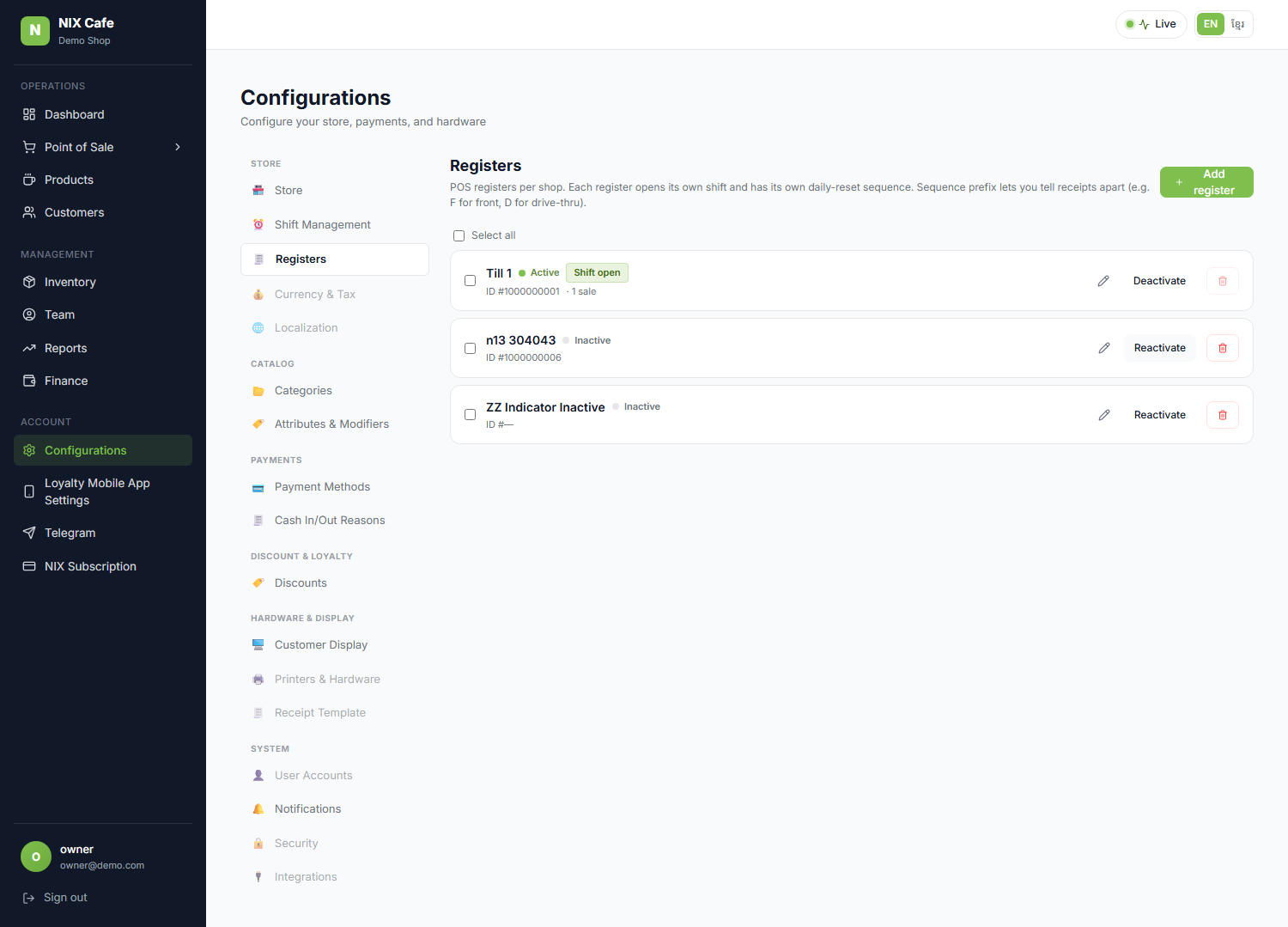
The "Shift open" chip also explains the greyed-out bin. A register with someone on it can't be deleted — that would strand a shift in progress. Until now the only clue was a tooltip you had to hover to find; the reason is now visible on the row.
Both plans
This isn't a Pro-only surface — Lumière on the Starter plan gets the same markers.
Checks
| Suite | Result |
|---|---|
| Local, incl. a control run against the old page | 9/9 |
| Staging, against the deployed build | 9/9 |
| Staging smoke regression | 5/5 |
The runs count the markers against the number of rows, so "shows on every card" is actually measured rather than eyeballed, and they check that Active and Inactive really do look different rather than just reading differently. Ran with the old page in place, the same checks drop to 2 of 9.
No database change was needed. Verified on staging.